The process manager
your infrastructure
deserves.
Lightweight, cross-platform process manager written in Rust. A modern alternative to PM2 — faster boot, lower memory, and crash recovery that's 42× quicker.
vs PM2 · measured on Linux · GitHub Actions Ubuntu · median of 5 runs
Full benchmark resultsFeatures
Everything a process manager should do.
Language-agnostic
Run any executable — Node.js, Python, Go, Rust, shell scripts, compiled binaries. If it runs in a terminal, oxmgr can manage it.
Declarative oxfile.toml
Define all processes in a single TOML file. oxmgr apply is fully idempotent — run it in CI, on deploy, or locally without side effects.
Health checks + auto-restart
Configure a health command per process. oxmgr polls it and restarts the process automatically when it fails, with configurable backoff.
Crash-loop protection
Set max_restarts to halt a runaway process after N consecutive failures. Prevents a broken deploy from consuming all system resources.
Resource limits
Cap CPU and memory per process via cgroup v2 on Linux. Keep a runaway worker from taking down your entire node.
Built-in terminal UI
Run oxmgr ui for an interactive dashboard showing all processes, their status, resource usage, and live logs in a single terminal view.
PM2 compatibility
Drop in an ecosystem.config.json and it works. No rewriting configs to migrate — oxmgr reads PM2 ecosystem files natively.
Git + webhook deploys
Connect a process to a git repo. oxmgr pull fetches and reloads only when the commit changed. Trigger it via webhook from GitHub Actions or any CI.
Cross-platform
Runs on Linux, macOS, and Windows. The same oxfile.toml works on your dev laptop and production server without modification.
System service integration
Register oxmgr as a systemd service, launchd agent, or Windows Task Scheduler task. Auto-start on boot with a single command.
Container runtime mode
Use oxmgr runtime as your Docker or Kubernetes entrypoint — no daemon, foreground process, logs to stdout/stderr. Drop-in replacement for pm2-runtime.
File watch & auto-restart
Watch source directories for changes and restart automatically. Supports regex ignore patterns and a configurable debounce delay — great for dev and hot-reload setups.
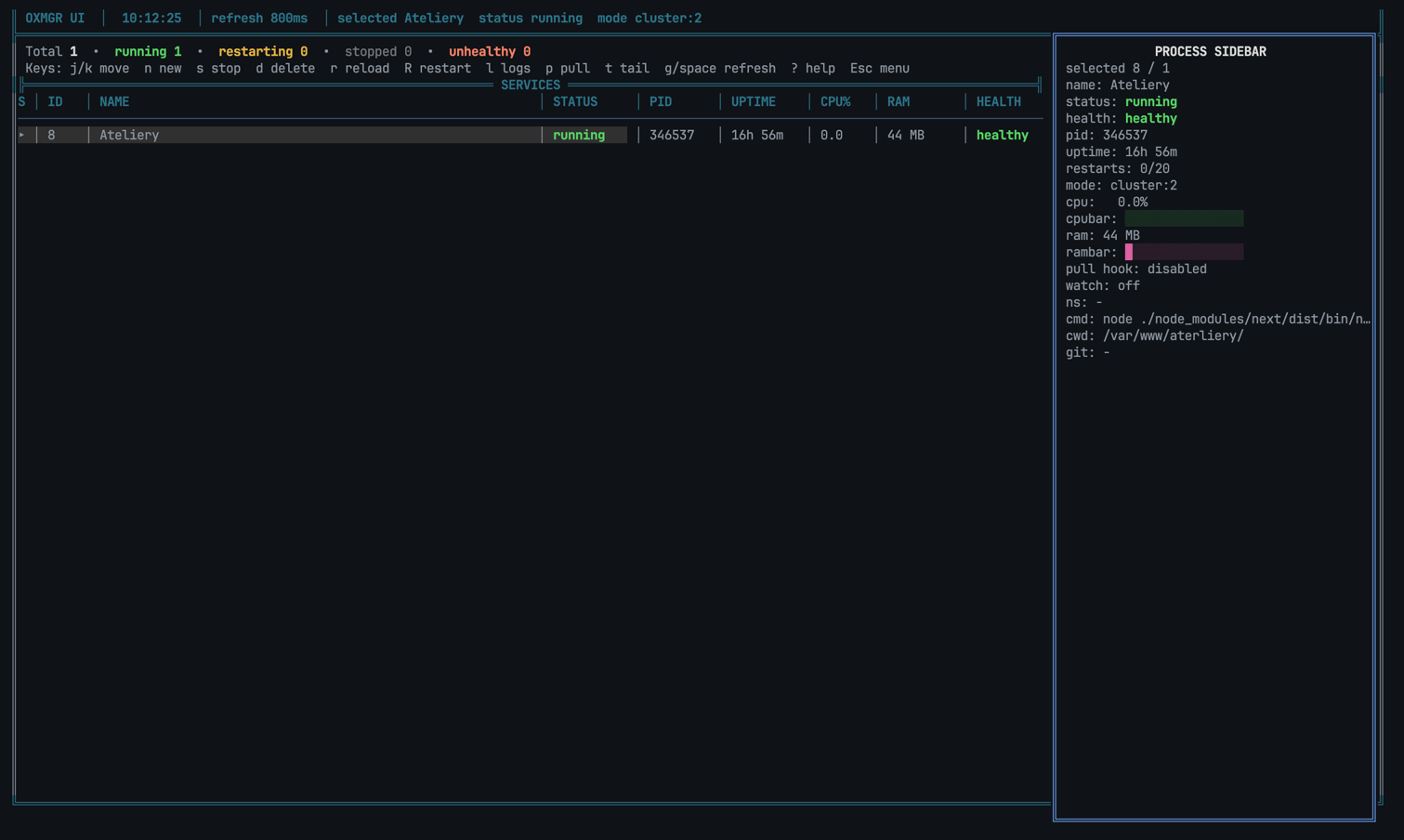
Terminal UI
Run oxmgr ui and see everything at once.
Interactive dashboard showing all processes, status, PID, uptime, CPU, RAM, and a live detail sidebar — all in your terminal.
Install
Get oxmgr running
in seconds.
Pick your package manager. All channels track the same releases and binaries are pre-built for Linux, macOS, and Windows.
Having trouble? See the install guide on GitHub.
$npm install -g oxmgr Configuration
One file.
All your processes.
A declarative oxfile.toml defines everything. Or keep your existing
PM2 ecosystem.config.json — it works out of the box.
version = 1

[defaults]
restart_policy = "on_failure"
max_restarts = 10
stop_timeout_secs = 5

[[apps]]
name = "api"
command = "node server.js"
cwd = "./services/api"
health_cmd = "curl -fsS http://127.0.0.1:3000/health"

[apps.env]
NODE_ENV = "production"
PORT = "3000"

[[apps]]
name = "worker"
command = "python worker.py"
cwd = "./services/worker"

[apps.env]
PYTHONUNBUFFERED = "1"
Open source
Your infrastructure is waiting.
MIT licensed, open source, no telemetry, no surprises. Just a fast process manager that stays out of your way.